

PayPal
_You don't have a PayPal business account OR want a easier install? Use PayPal IPN. All you need is your e-mail.
Creating a application
Head over to the PayPal developer portal and press "Create App"
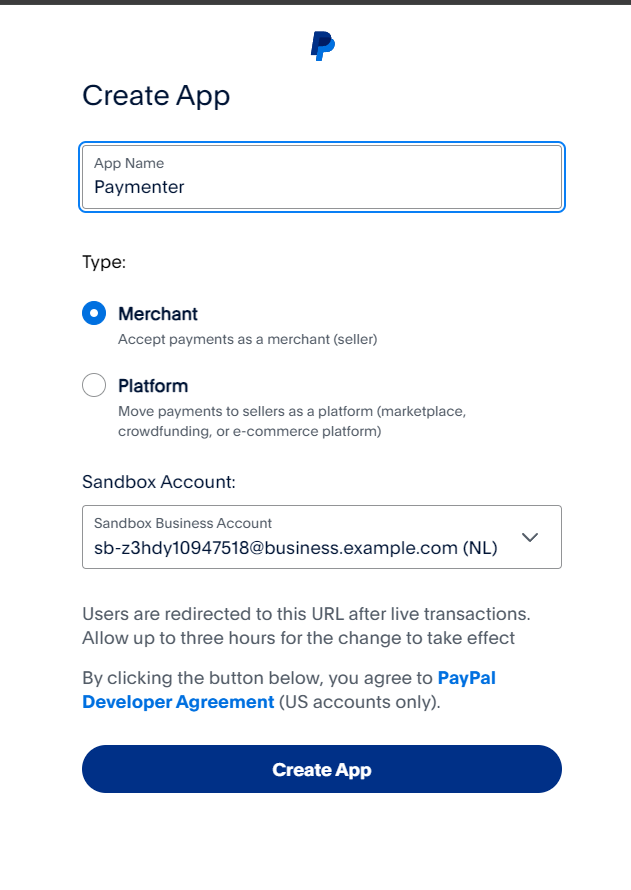
Fill in the required details and press Create App
Take note of the Client ID and the Secret Key
Creating the webhook
Scroll down to Webhooks and press add Webhook.
Fill in yourDomain /extensions/paypal/webhook.
Replace yourDomain with your Paymenter domain (e.g. https://demo.paymenter.org).
Tick "all events" and continue.
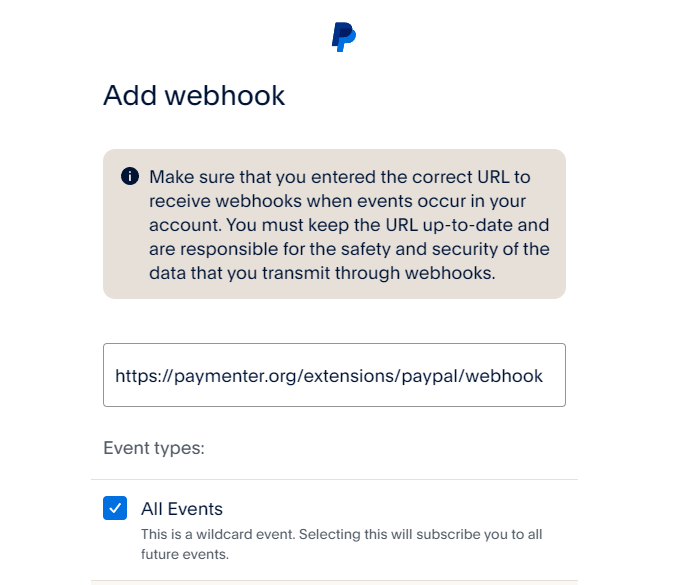
Take note of the Webhook ID. We'll need it in the next step
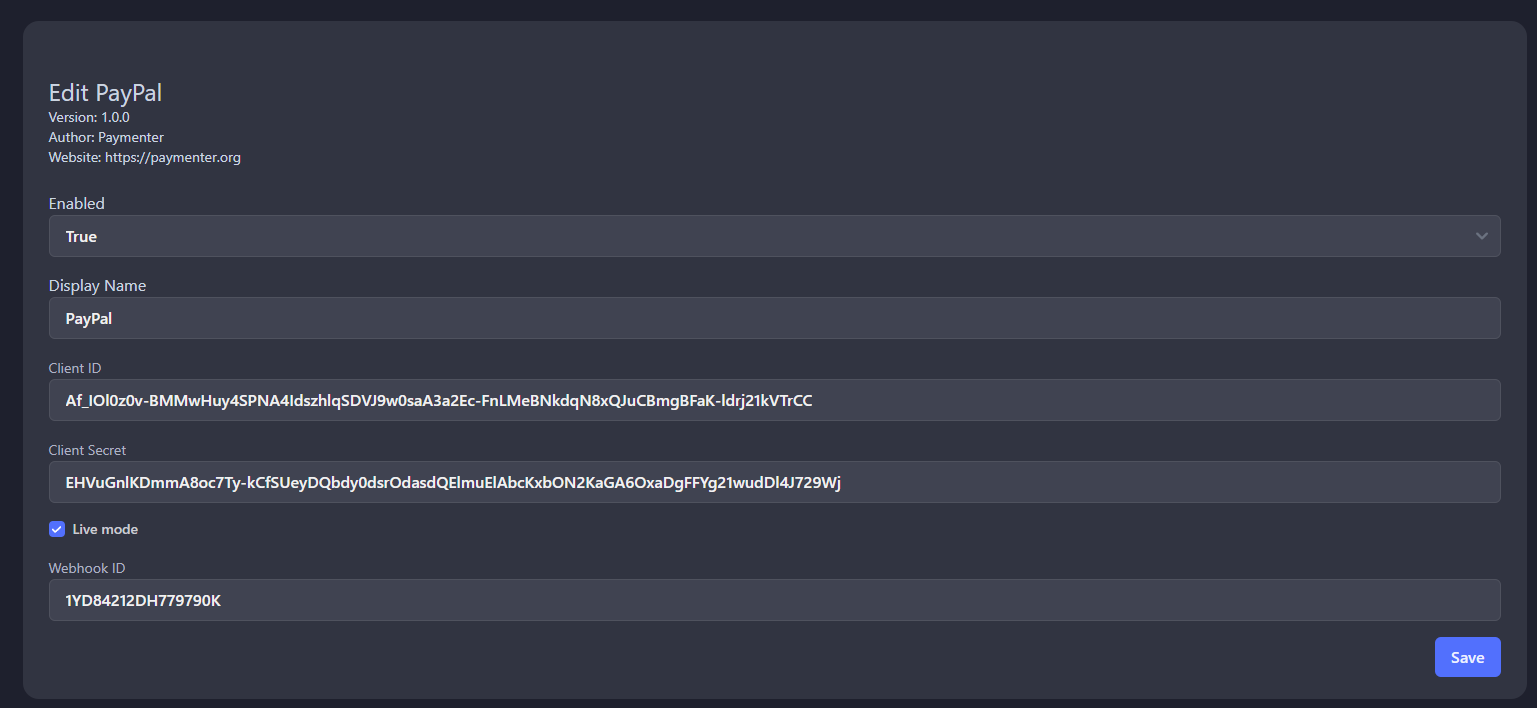
Filling in the credentials on Paymenter
Fill in the details given in the previous steps
Billing Agreements (Payment Methods)
Paymenter supports Billing Agreements (Vaulting) with PayPal. This allows your customers to save their PayPal account as a payment method for future purchases.
To enable Billing Agreements, make sure to enable the "Vaulting" option when creating your PayPal application. Also ensure that your PayPal account has access to "Reference Transactions" as this is required for Billing Agreements to work.