

Pterodactyl
Overview
Pterodactyl is a free, popular, and open-source game management panel which offers you a beautiful web interface to manage your game servers from anywhere, whether that be from a mobile device or a dedicated server in your office. It supports games and servers such as Minecraft (including Spigot, Bungeecord, and Sponge), ARK: Evolution Evolved, CS:GO, Team Fortress 2, Insurgency, Teamspeak 3, Mumble, and many more.
Create a API key in Pterodactyl
Create an API key in the Pterodactyl panel with the following permissions:

Configure Paymenter
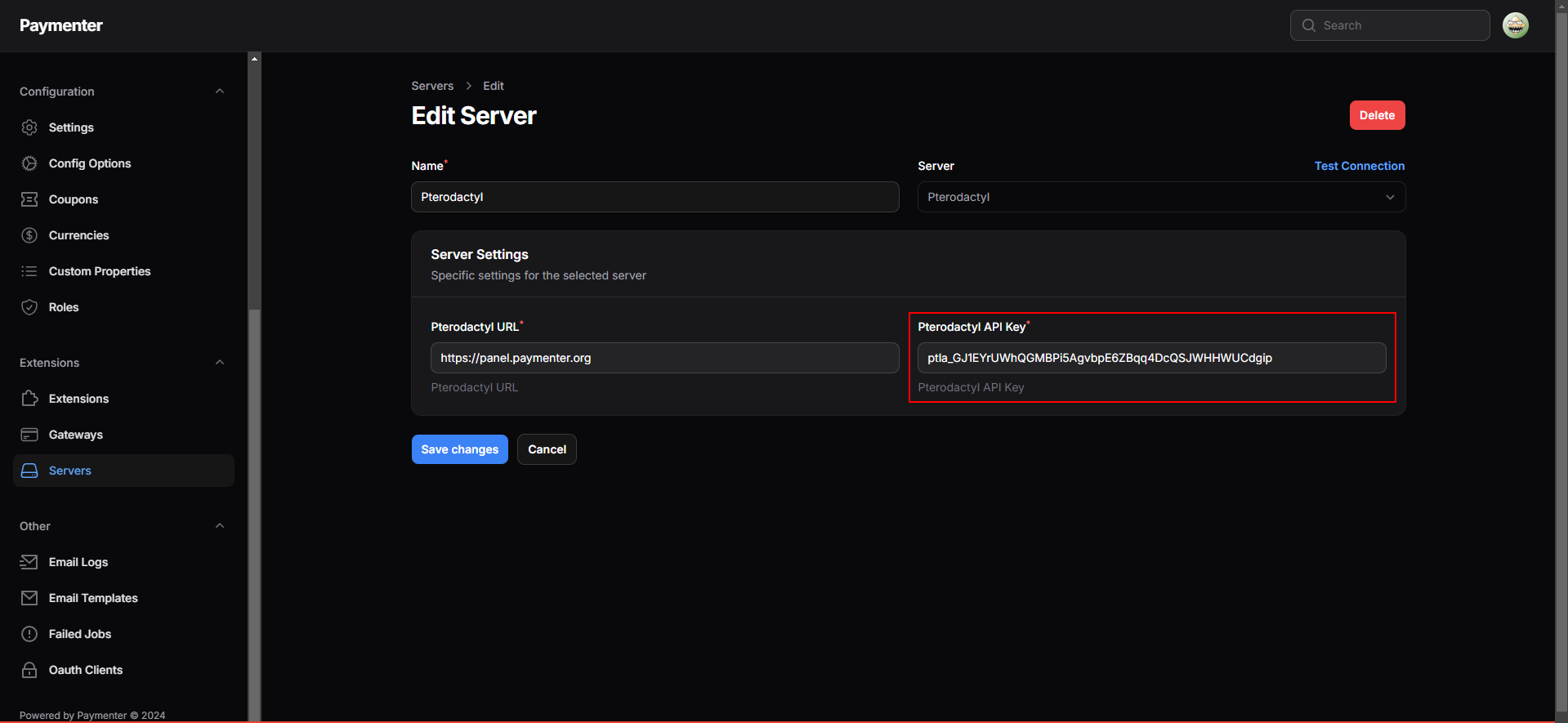
Insert your API key and your Pterodactyl URL in the Paymenter admin panel as such:
Configuring the product
After you have created a Product:
go to the Product settings
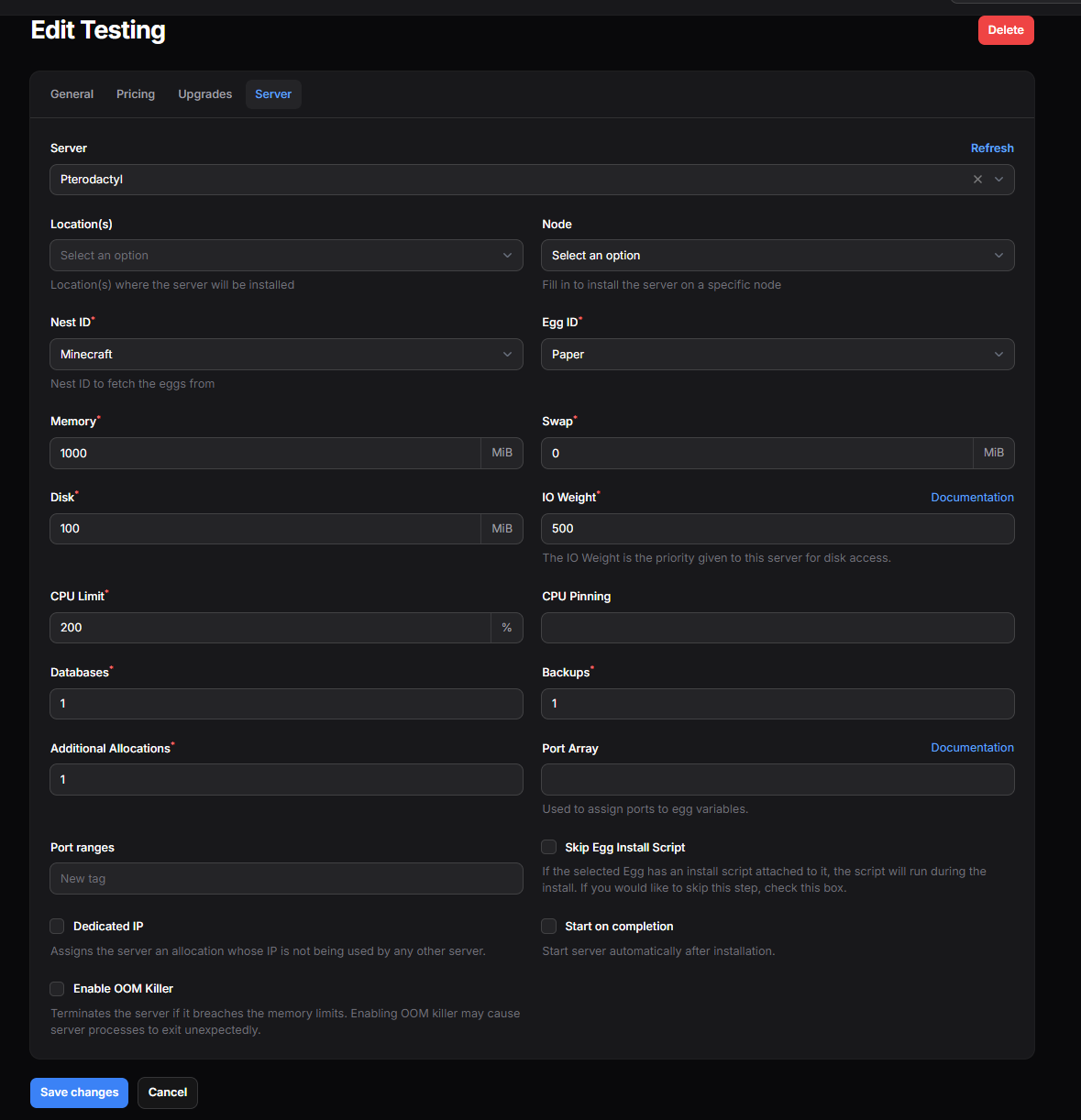
Fill in the Product details and select the server you want to assign to the product. Below you will see a fully functional example of a Product with Pterodactyl assigned as the server.
Configurable Options
You can let your customers tailor their product to meet their needs by offering customizable options. These options allow users to select specific settings for their product, making it easy to create unique products for different use cases. Below is a list of configurable options you can offer with the Pterodactyl extension:
nest_id, egg_id, location, node, additional_allocations(ports), databases, backups, startup, cpu, io, disk, memory, swap, servername.
All environments from eggs are also supported. Example: MC_VERSION, SERVER_JAR, FIVEM_LICENSE, etc...
For more information on how to utilize configurable options click here
Port Array
Do you want to automatically assign ports to egg variables? Here's how!
In the Paymenter extension for Pterodactyl there is a field called Port Array. This array supports the following value:
{"SERVER_PORT": 7777, "NONE": [7778, 7779], "QUERY_PORT": 2701, "RCON_PORT": 27020}
In this example, the panel will try to assign 7777 as default port, 7778 and 7779 as additional ports, 2701 as query port and 27020 as rcon port.
If the port is unavailable for whatever reason, it will try to increment the port by 1 until it finds a free port.
Egg specific examples:
- Ark -
{"SERVER_PORT": 7777, "NONE": 7778, "QUERY_PORT": 27015, "RCON_PORT": 27020} - CS:GO -
{"SERVER_PORT": 27015} - Arma 3 -
{"SERVER_PORT": 2302, "NONE": [2303, 2304, 2306]} - 7D2D -
{"SERVER_PORT": 26900, "NONE": [26901, 26902]} - Rust -
{"SERVER_PORT": 27015, "RCON_PORT": 27016} - Mordhau -
{"SERVER_PORT": 15000, "QUERY_PORT": "15001", "BEACON_PORT": "15002"} - GTA: MTA -
{"SERVER_PORT": 22003, "SERVER_WEBPORT": 22005, "NONE": 22126}